A small banner over your screen.
The prayer, time and Ctrl Alt P shortcut, without taking focus.
When a prayer starts, a compact pill appears over your screen. Press Ctrl Alt P to mark it prayed without leaving what you’re doing.
Download IbadatiFree · No ads · No account
Finding today's times…
The prayer, time and Ctrl Alt P shortcut, without taking focus.
Switch it on or off in Settings.
Used only if the banner cannot be shown. Windows may suppress notifications.
Optional pre-reminder. Unmarked prayers repeat at +10, +30 and +60 minutes, with a closing warning 30 minutes before the window ends.
The banner is a separate, click-through window. Typing and scrolling carry on underneath. Some full-screen apps may cover it.
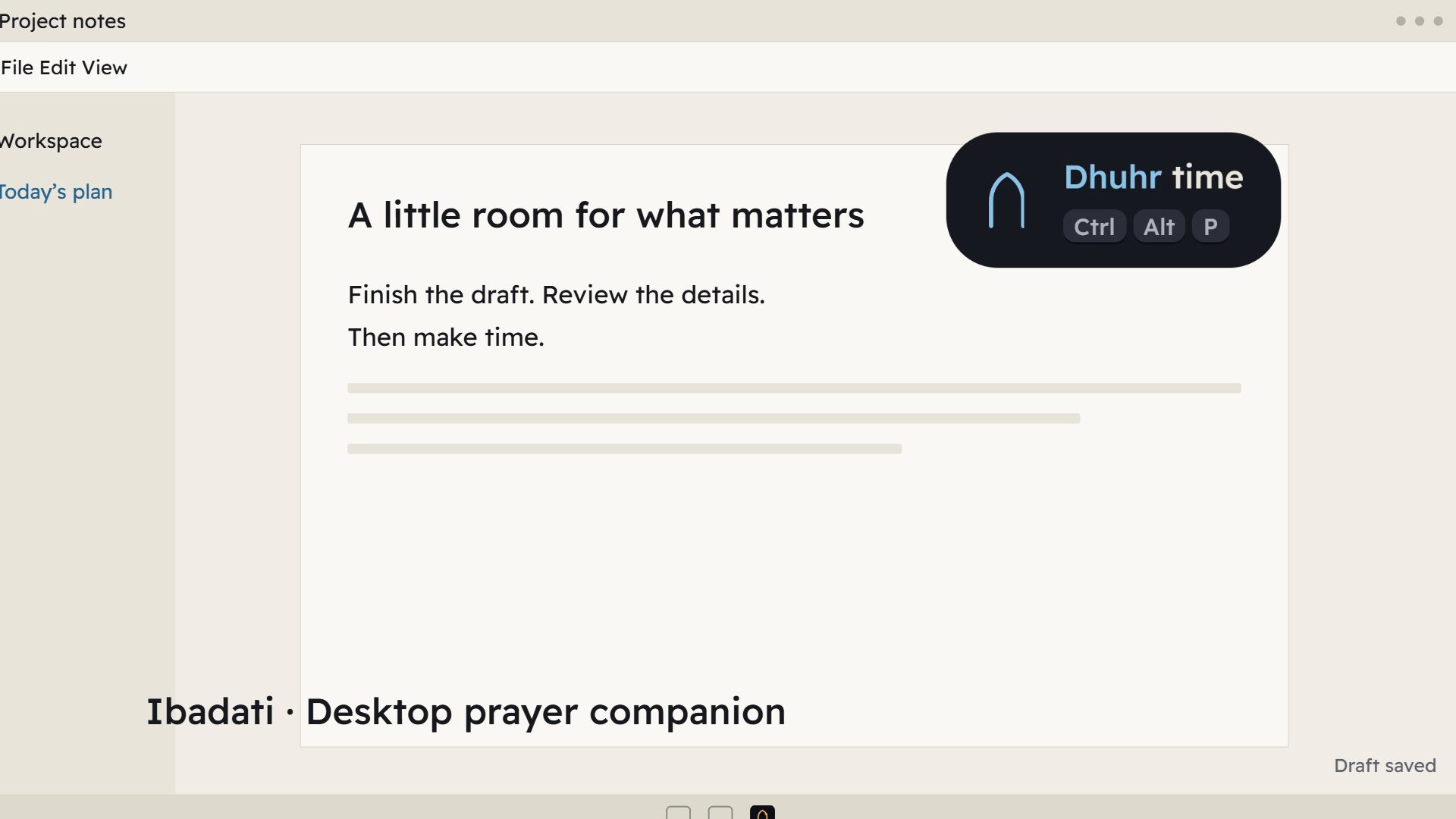
Ibadati prayer reminders, one-key marking, catch-up, Calendar and voluntary fasting. Ctrl Alt P marks a prayer as prayed.
CtrlAltPMark prayed
CtrlAltOOpen review
CtrlAltHHide
Prayed or Not prayed. A quiet khatam when you mark a prayer. No streaks to lose, no red alarms.
Try it: click a circle.
Calendar: browse Gregorian and Hijri dates and edit past prayer records.
Catch up: review today and the three previous days when you return.
Voluntary fasting: use the Today crescent or Calendar on any day, with an iftar reminder at Maghrib.
Start small: focus on one or two prayers first, then add the rest.
No account. Install it and it works.
Works offline. Times are calculated on your PC.
Your history stays on your PC. Export it, move it or delete it whenever you want. No telemetry. The app checks https://ibadati.com/updates/latest.json for updates; downloading an update also contacts ibadati.com.
Version 0.2.0 · Windows x64
From your location with a recognised calculation method. Ibadati picks the usual method for your region; you can change it, along with Hanafi Asr and high-latitude rules.
The banner is an ordinary always-on-top window. Some full-screen apps can cover it. Game compatibility has not been verified; a successful show call cannot prove the banner was visible.
Ibadati does not inject into or read game processes. Compatibility with games and anti-cheat systems has not been verified; we cannot guarantee acceptance by any game or anti-cheat provider.
Prayer times and history work offline. The app checks https://ibadati.com/updates/latest.json for updates and downloads updates from ibadati.com. Automatic updates can be switched off.